How to write the perfect out-of-office message
2025-12-16T23:04:36Z
job and career tips
job and career tips
Whether you’re logging off for a well-deserved holiday, have limited access to your inbox due to transit or simply taking a mental reset day, your out-of-office (OOO) message can help do a lot of the communicative heavy lifting. But do people actually read them?
The answer is yes - when they need something. And that’s exactly why what your message says matters. A well-crafted OOO reduces confusion, manages expectations, protects your boundaries and makes sure the right people get the right help while you’re away. If not quite right, it can create extra work for everyone.
Want to up your out-of-office message game? We break down what’s involved in writing the perfect OOO – from what to include (and what not to), how to tailor it to specific audiences and a few etiquette truths we all need to talk about.
If someone emails you with a request or question and receives an OOO back, they’ll most likely skim your message to look for one thing only: What do I do now?
Chances are, they’re working against the clock – so help them out by crafting a clear, thoughtful message that will:
A vague or confusing out-of-office message is the email equivalent of a shrug. By following a few of simple tips, you can avoid unnecessary work for others and make your return to work a smoother experience.
The essentials include:
Avoid:
When done well, an out-of-office message reassures the reader with clarity and warmth, making it clear help is available even while you’re away.
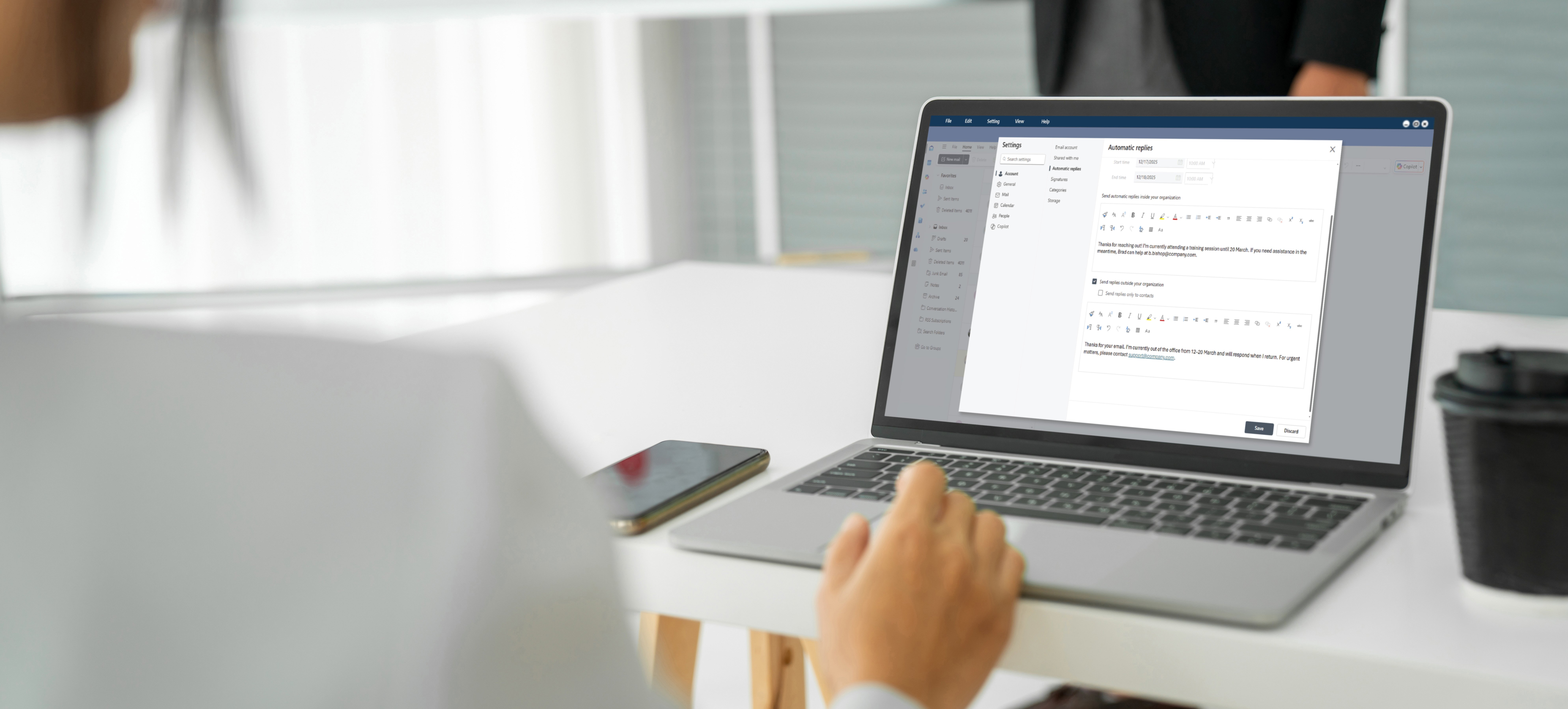
External and internal audiences have very different expectations, and a single out-of-office message rarely meets both. Outlook’s Automatic Replies let you tailor responses so clarity and continuity aren’t lost while you’re away.

Your audience here could include clients, candidates, vendors, partners … and spammers. For these types of messages, it’s best to keep it simple, safe and professional.
Your external OOO should:
Example:
Thanks for getting in touch. I’m currently on leave until 20 March and will respond when I return.
When deciding whether to include a colleague’s email address in your out-of-office message, consider both your audience and the nature of your work. If your role involves urgent action or genuine business needs (such as live projects, candidates, clients or upcoming deadlines) provide a single nominated contact (with their prior approval). If not, you can direct enquiries to a shared team mailbox.
Example:
Thanks for your email. I’m currently out of the office from 12–20 March and will respond when I return. For urgent matters, please contact support@company.com.
If you receive a high volume of spam or sales emails, avoid listing multiple colleagues, as this can inadvertently expose them to unwanted mailing lists and unnecessary inbox noise.
A strong internal OOO prevents blockers and keeps the team running, so your colleagues will need more than just dates – they’ll also need some context.
Useful details to include:

Your internal OOO for annual leave should feel different to one for parental leave, training, sick days or public holidays. A few quick rules:
Example:
You’ve contacted me while I’m off recharging. I’ll be back on 20 March.
Each project lead should manage day-to-day decisions in my absence.
Clifton Project: Alex Alberts (a.alberts@company.com)
Chepstow Project: Andrew Avon (a.avon@company.com)
Wharncliffe Project: Wallace White (w.white@company.com)
Escalations should go to Brad (b.bishop@company.com) and all updates should be logged in the project tracker.
For anything else, I will reply to when I return!
Example:
Hi team, I’m off today and won’t be online. Please direct urgent issues to Brad (b.bishop@company.com). I’ll pick things up when I return.
Example:
Thanks for reaching out! I’m currently attending a training session until 20 March. If you need assistance in the meantime, Brad can help at b.bishop@company.com.
Internal OOO’s can also be friendlier, more human and slightly more detailed. Your team will appreciate the clarity.
Are you managing multiple projects and teams and want to leave specific directives in your autoreply? Or need to be notified of an important email from a client while you’re in a three-day workshop?
One of the most overlooked features of Outlook is Automatic Reply Rules, which let you:
This is especially powerful if you manage sensitive clients, service desks or high-volume inboxes – you can essentially build an OOO triage system while you’re away.

Maybe. It really depends on your profession, your personality and the tone of the organisation you work for. There’s a delicate art to getting this right.
Pros of being playful:
Cons:
Example:
Out of office for the Christmas shutdown until 10 January 2026. My inbox and I are taking some elf-care. For any urgent enquiries, please contact Brad Bishop. See you in the new year!
If humour is natural for you, go for it. If not, stick with clarity. The goal is to be memorable, not confusing. And yes, someone will inevitably ask…
This is disputed territory. Different people swear by different rules:
There’s no universal right answer. Just pick the one that protects your sanity and is consistent with your team’s norms.
Let’s be honest for a sec:
Out-of-office messages aren’t just admin – they’re one of the simplest forms of expectation-setting in modern work. Whether you keep it ultra-professional, lightly playful or choose to add a cheeky pun, the golden rule remains the same:
Give people what they need, keep it skimmable, and tailor it to the audience reading it.

Brunel's technical experts can support you to successfully identify, attract and deliver skilled permanent and contract personnel and solutions matched to your business’ unique requirements. Whatever complexities you face, Brunel is here to simplify them.